

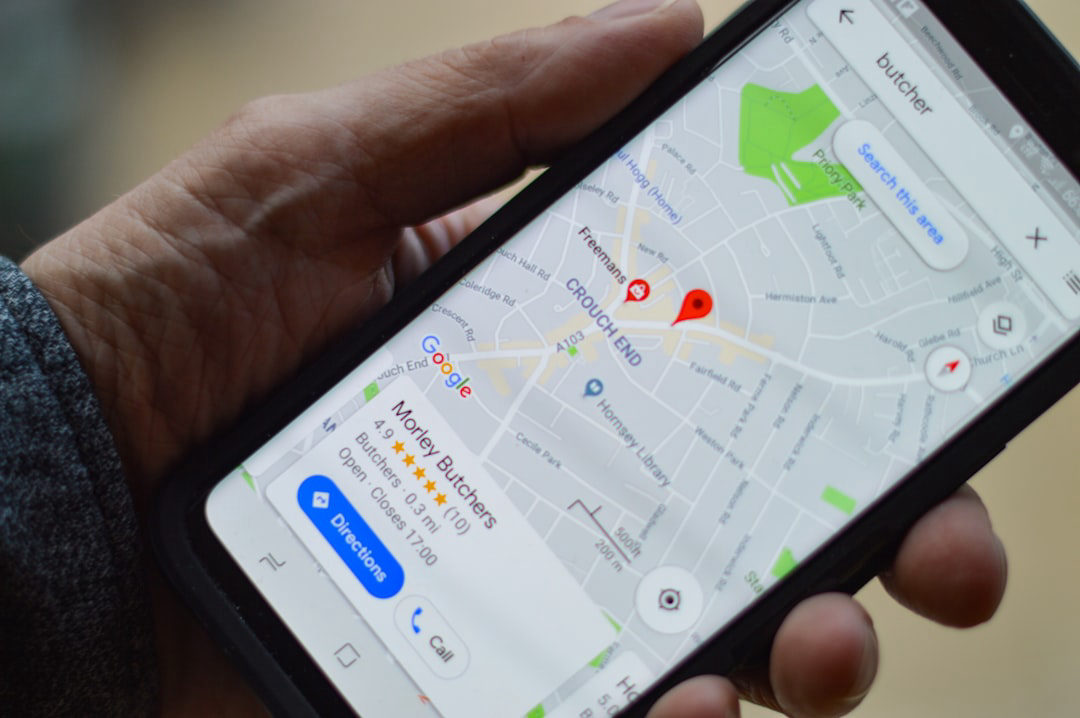
How to Get Into the Google Map Pack
Three spots. Millions of searches. The Google Map Pack sits at the very top of local results — and most small businesses are leaving it wide open. Here's how to claim your place in it.
The short version
- The Google Map Pack shows the top 3 local businesses for location-based searches — appearing above all organic results.
- Your Google Business Profile is the single most important lever: keep it complete, accurate, and active.
- Consistent NAP data (Name, Address, Phone) across every directory removes doubt for Google's algorithm.
- Reviews and local relevance signals — like location-specific pages and local backlinks — are what separate Map Pack winners from everyone else.
What the Google Map Pack Actually Is
The Google Map Pack — sometimes called the “Local Pack” or “3-Pack” — is the block of three business listings that appears at the top of Google search results whenever someone types a local-intent query like “HVAC repair near me” or “med spa Santa Clarita.” It sits above every organic blue-link result, which means it gets seen first. For a local business, landing in those three spots is often worth more than ranking number one organically.
Google populates the Map Pack by pulling from Google Business Profiles and weighing three core factors: relevance (does your business match what was searched?), distance (how close are you to the searcher?), and prominence (how well-established and trusted does Google believe you are?). You can’t move your front door, but you can control the other two almost entirely.
Step 1 — Treat Your Google Business Profile Like a Second Website
Your Google Business Profile (GBP) is the engine behind your Map Pack ranking. An incomplete or stale profile signals to Google that your business may not be active or trustworthy. Here’s what “complete” actually means in practice:
- Primary category: Pick the most specific category that matches what you do. “HVAC Contractor” outperforms “Home Services” every time.
- Secondary categories: Add relevant secondaries, but don’t stuff them. Three to five focused categories beat a long, unfocused list.
- Business description: Use your 750 characters. Mention the services you offer and the city or region you serve — naturally, not robotically.
- Photos: Upload real photos of your work, your team, and your location regularly. Profiles with active photo uploads get more clicks than static ones.
- Services and products: Fill out the Services section in detail. Google reads these fields when deciding relevance.
- Q&A: Seed your own Q&A section with questions your customers actually ask. You control the answers before strangers do.
- Posts: Use GBP Posts like a micro-social feed — promotions, updates, and events all keep your profile fresh and signal activity to Google.
A fully built-out Google Business Profile is not a one-time task. The businesses consistently in the Map Pack treat it like a living asset they update every week or two.
Step 2 — Lock Down Consistent NAP Data Everywhere
NAP stands for Name, Address, and Phone number. Google cross-references your GBP against dozens of other directories — Yelp, Apple Maps, Facebook, industry sites, local chamber listings — to verify that your business information is stable and trustworthy. If your address appears differently across sources (even a small variation like “St.” vs “Street”), it introduces doubt. Enough doubt keeps you out of the Map Pack.
- Audit your top 10–15 citation sources and make sure the NAP is character-for-character identical to your GBP.
- Prioritize high-authority, industry-relevant directories first (Angi for home services, Healthgrades for medical, OpenTable for restaurants).
- If you moved or changed your phone number, treat citation cleanup as urgent — outdated listings actively suppress rankings.
Step 3 — Build a Review Engine, Not a Review Trickle
Reviews are a direct prominence signal. Google wants to show searchers businesses that other locals trust. Quantity matters, recency matters even more, and your response rate matters too.
Ask at the Right Moment
The best time to ask for a review is immediately after a positive experience — job completion, checkout, or a follow-up text the same day. A direct link to your GBP review form removes all friction.
Respond to Every Review
Responding to reviews — especially negative ones, calmly and professionally — signals to Google and to future customers that a real, engaged business owner is present. Silence on bad reviews is worse than a thoughtful reply.
Keep the Velocity Steady
Ten reviews a month over six months beats sixty reviews in one week followed by silence. A sudden spike then nothing can look unnatural. Build a consistent ask into your regular workflow.
Step 4 — Give Your Website Local Relevance Signals
Your website and your GBP are connected — Google treats them as a pair. A website that confirms your location, your services, and your authority makes your GBP listing more credible. Key moves here:
- Location pages: If you serve multiple cities, each deserves its own page with specific, genuinely useful content — not just the city name swapped in and out of a template.
- Schema markup: LocalBusiness schema tells Google in machine-readable terms exactly who you are, where you are, and what you do. It’s a small technical lift with a meaningful payoff.
- Local backlinks: A mention and link from your local chamber of commerce, a neighborhood news site, or a complementary local business carries real weight. These are harder to get, but far more valuable than generic directory links.
- Embedded map: Embedding your Google Map on your Contact page is a minor signal, but it reinforces the location connection between your site and your GBP.
How the Ranking Factors Stack Up
Not all effort is equal. Here’s a rough priority order for a local business starting from scratch or trying to break into a competitive Map Pack:
1
Complete GBP
Fill every field, choose the right primary category, post regularly
2
NAP Consistency
Audit and correct citations across all key directories
3
Review Volume & Recency
Build a repeatable ask process and respond to every review
4
Website & Local Links
Location pages, schema markup, and real local backlinks
Common Mistakes That Keep Local Businesses Out of the Map Pack
Even businesses that do most things right can stall out because of a few recurring errors. Our local SEO work surfaces these patterns constantly — here’s what to watch for:
- Choosing the wrong primary category. This is the single most common ranking mistake. If your primary category is too broad, you will consistently lose to competitors who are more specific.
- Letting the GBP go stale. No posts, no new photos, no review responses for months sends a quiet “this business might be closed” signal.
- Ignoring the Q&A section. Anyone can post questions and answers on your profile. If you don’t seed it and moderate it, misinformation sits there unchallenged.
- Hiding your address. Service-area businesses can hide their physical address, which is sometimes appropriate — but doing it unnecessarily weakens your local relevance signal.
- Keyword-stuffing your business name. Adding “best plumber in Santa Clarita” to your GBP business name is against Google’s guidelines and can get your profile suspended. Your actual business name goes in that field — nothing more.
How Long Does It Take to Rank in the Map Pack?
Honestly, it depends on how competitive your category is and how much ground you need to make up. In lower-competition niches or smaller markets, a fully optimized GBP and a handful of new reviews can move the needle in a matter of weeks. In competitive categories — personal injury law, cosmetic procedures, real estate — sustained effort over several months is more realistic. The encouraging news: most small businesses have not done the basics well, which means there is genuine, workable opportunity even in crowded markets.
Curious about Local SEO?
See how AgencyFix approaches Local SEO and whether it is the right fit for your business.
See how Local SEO works →Frequently asked
What is the Google Map Pack and why does it matter for my business?
The Google Map Pack is the block of three local business listings that appears at the top of Google search results for location-based queries. It sits above all standard organic results, so it gets seen — and clicked — first. For a local business, appearing in the Map Pack can be the single biggest driver of inbound calls and website visits.
Do I need to pay to appear in the Google Map Pack?
No. The three organic Map Pack spots are free — they are earned through optimization, not paid for. Google does offer paid Local Search Ads that appear above the organic Map Pack, but the three core spots are purely based on relevance, distance, and prominence.
What's the difference between a Google Business Profile and a Google Maps listing?
They are the same underlying thing. Your Google Business Profile is the dashboard where you manage your information; your Google Maps listing (and your Map Pack appearance) is how that information shows up publicly. Managing your GBP well is how you influence what people see on Maps.
My business is a service-area business with no storefront. Can I still rank in the Map Pack?
Yes. Google supports service-area businesses (SABs) and allows you to hide your physical address while still ranking for the areas you serve. You will want to define your service area clearly in your GBP and focus heavily on reviews, citations, and local content on your website to compensate for the reduced location signal.
How many Google reviews do I need to rank in the Map Pack?
There is no magic number — Google weighs review quantity alongside recency, rating, and response rate, as well as all the other ranking signals. In a low-competition market you might rank with a small number of reviews if competitors are equally sparse. In a competitive category you may need significantly more. The more useful goal is to build a steady, ongoing stream of reviews rather than chasing a specific count.
See what’s costing your site traffic — free
Run a free SEO audit or check if AI assistants recommend your business.
Try the free tools →